Lab Exercise: Monitoring
Analytics
Now let’s explore quickly what does 3Scale has to monitor requests. Afer succesful configuration of AnythingLLM with the new Granite model running on GPU you can go back to the 3Scale Admin Portal and monitor its usage.
Go back to the 3Scale Admin portal and navigate to Products → granite-3.3-2b-instruct → Analytics → Traffic
There you’ll see hits to your LLM which is being captured by 3Scale. There are multiple views to search for usage of this product. Now let’s add some limits.
Limits
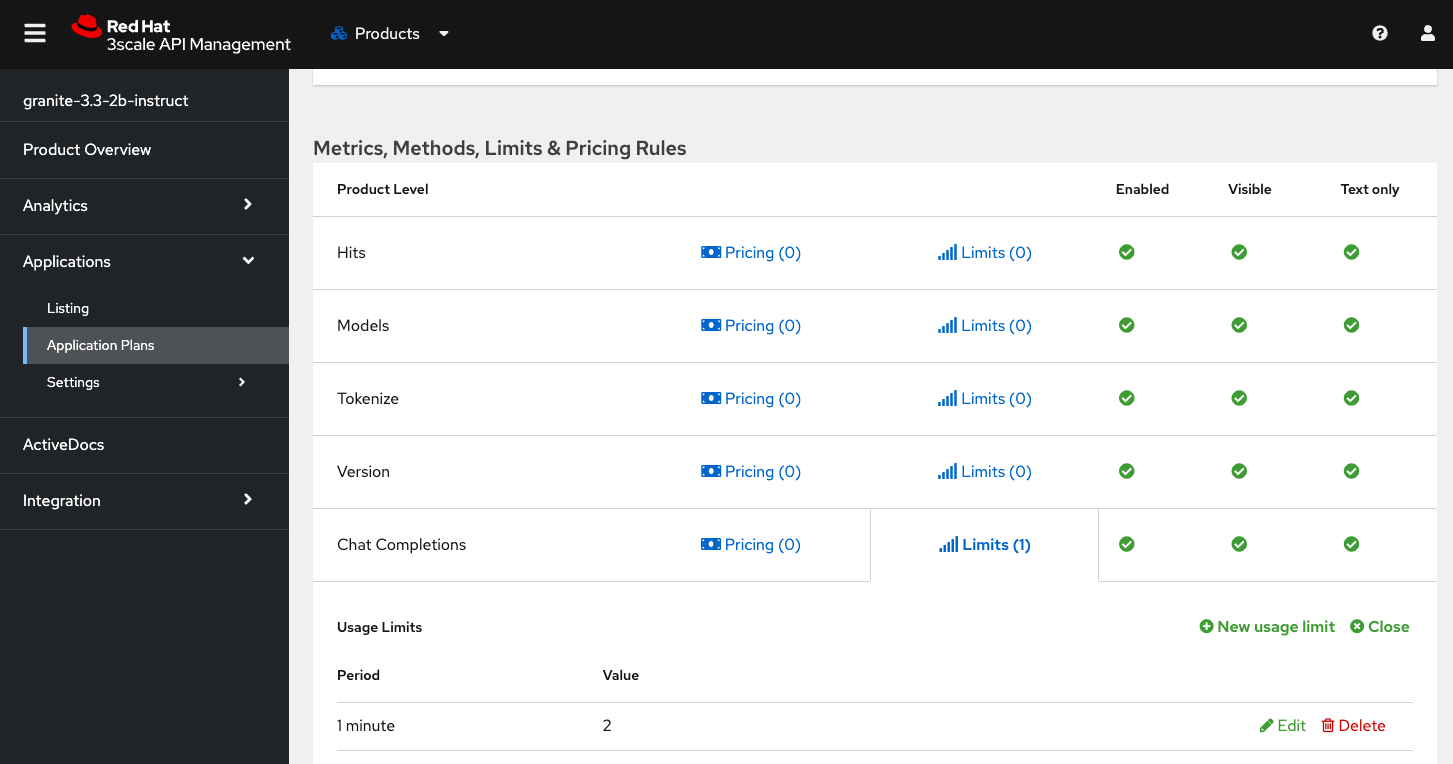
Now let’s see what happens when we add a limit for Chat Completions to 2 per minute.
-
Navigate to Products → granite-3.3-2b-instruct → Applications → Application Plans → Standard Plan
-
In the "Metrics, Methods, Limits & Pricing Rules" find the
Chat Completionsand click onLimits -
Add a new
Usage Limit -
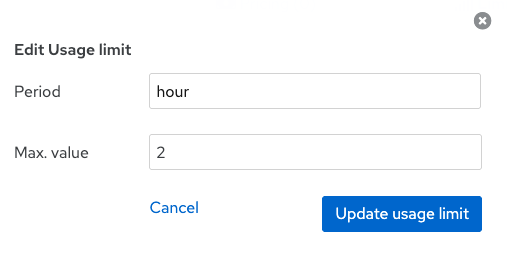
Select period hour and enter max. value = 2
Once that is set, go back to AnythingLLM and continue making queries. This can take a couple of minutes since 3Scale has a process to update the applicaiton plan. But eventually you should see this error in AnythingLLM:

That’s it. We just explored how 3Scale captures metrics and can enforce limits on LLM usage. There are other metrics to explore like token count for which we have a policy that counts that but that is more advanced for the time we have today.