MaaS Bootstrap
Lets look at the steps to add the MaaS components to your OCP Cluster.
1. Bootstrap ai-accelerator
-
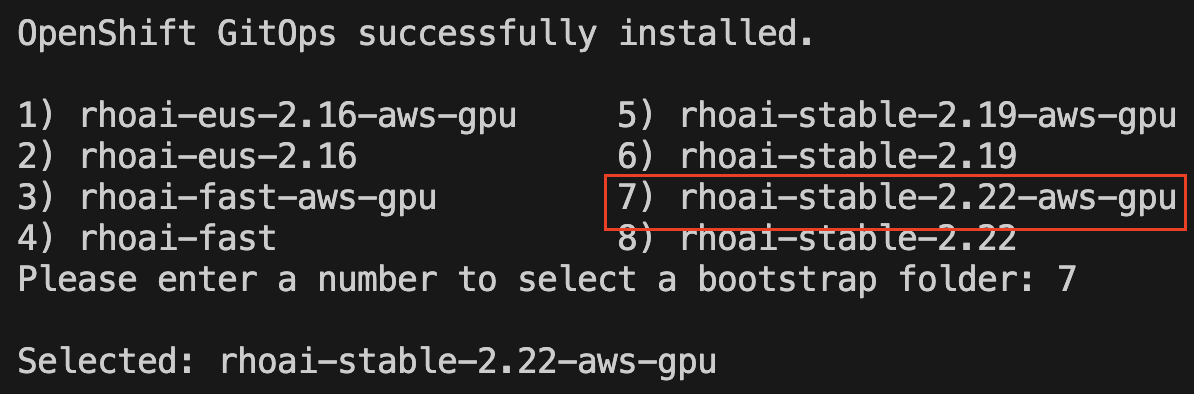
Follow the instructions provided in the Bootstrap the GPU Cluster but with a small change, use the rhoai-stable-2.22-aws-gpu overlay.
-
Same as before, ensure Argo has sync’d the apps before continuing.
|
My preferred way to monitor the bootstrap is look at the Workloads→Pods with All Projects and filter with "Pending". I just like to see stuff moving, rather than stearing at the sync process in argo. Do you have another way? |
2. Clone ai-accelerator-examples repo
Now is time to explore the new form of adding runnable examples on your OpenShift AI cluster you have provisioned. The overall goal of ai-examples is to be able to add new configs on top of an existing RHOAI cluster, where we can quickly experiment and of course re-use these manifests for demos/quick-starts with the beauty of "infra as code", but I don’t need to sell you on that, right?
This repo is in a different place, let’s clone it:
git clone git@github.com:redhat-ai-services/ai-accelerator-examples.git
cd ai-accelerator-examples
3. Execute the bootstrap script
Following the same idea we run the bootstrap script in this examples repo:
-
Run the bootstrap script to set up the environment. This script will handle the installation of necessary components and configurations.
./bootstrap.sh -
Just hit enter twice to run the script from the current repo (rh-ai-services) and branch (main):
Current repository URL: https://github.com/redhat-ai-services/ai-accelerator-examples Press Enter to use this URL, or enter a new repository URL: Using repository URL: https://github.com/redhat-ai-services/ai-accelerator-examples Current repository branch: main Press Enter to use this branch, or enter a new repository branch: Using repository branch: main -
Then select
models-as-a-service-3scale
-
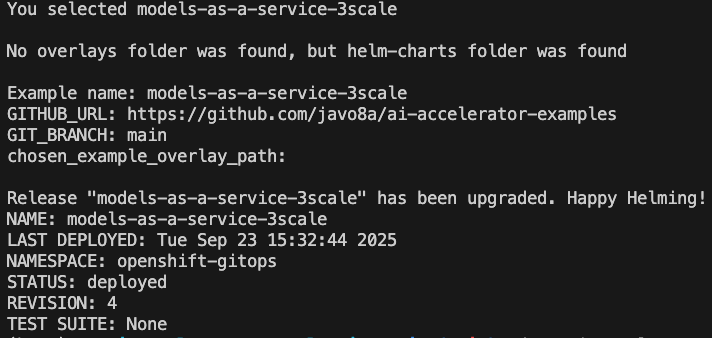
Allow the script to complete with something like this:
-
Lastly navigate to your ArgoCD UI and check the status of
models-as-a-service-3scale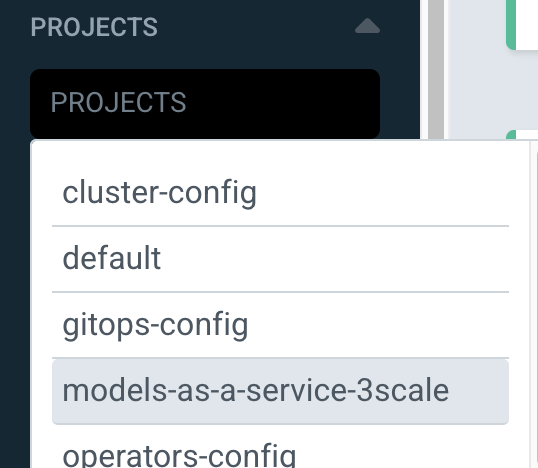
-
Eventually 3Scale app will appear degraded we must complete a workaround outlined next before we move to the first exercise: Using MaaS as Developer
3.1. Fix 3scale Operator failing to reconcile
|
The version from the 3Scale operator has a problem when provisioning the DeveloperAccount and DeveloperUser while bootstraping. This is explained here: DeveloperAccount deployed via 3scale Operator fails to reconcile |
To spot the error, check the 3Scale Operator → All Instances tab and you’ll see a DeveloperAccount that failed and a DeveloperUser marked as orphan.
To fix this, we need to do the following steps:
-
Call 3Scale Admin to delete the internal user (duplicate) which will allow the operator to create the account successfully.
ADMIN_ACCESS_TOKEN=$(oc get secret system-seed -n 3scale -o jsonpath='{.data.ADMIN_ACCESS_TOKEN}' | base64 --decode) \
ADMIN_ENDPOINT=$(oc get routes -n 3scale -o json | jq -r '.items[] | select(.spec.host | contains("maas-admin")) | "https://"+.spec.host') \
DEV1_USER_ID=$(curl -s GET  "${ADMIN_ENDPOINT}/admin/api/accounts.xml?access_token=${ADMIN_ACCESS_TOKEN}" | yq -r -p=xml -o=json . | jq '.accounts[][] | select(.org_name == "dev1") | .id' -r) \
curl -X DELETE "${ADMIN_ENDPOINT}/admin/api/accounts/${DEV1_USER_ID}.xml?access_token=${ADMIN_ACCESS_TOKEN}"
For the previous command to work you need two additional tools: yqandcurl; yq is required since 3Scale Admin API works with XML, you read that right, XML. You can omit usingyqif you can read the XML to find the ID for the dev1 account by examining at the response. -
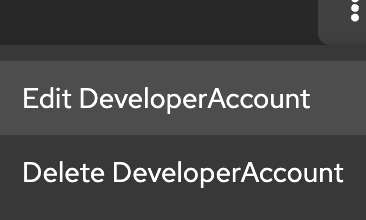
Delete the DeveloperAccount from 3Scale operator and let Argo re-create it (3Scale app in argo might need re-sync).
Go to Installed Operators → 3Scale → All Instances and delete the DeveloperAccount
After ArgoCD sync successfully completes, we are ready to proceed to the next chapter.